Claude + Codex ready
Connect an MCP client to work with your projects.

Bring Claude, Codex and connected creative tools into Recordwow. Move from an idea to a reviewed video, guide or update in one workspace.
Free for life. No subscription. Claude Connected to Recordwow
Turn this recording into a product walkthrough.
Done Read project and source
Done Prepare edits for review
Done Export video + written guide
 Codex Connected to Recordwow
Turn this recording into a product walkthrough.
Done Read project and source
Done Prepare edits for review
Done Export video + written guide
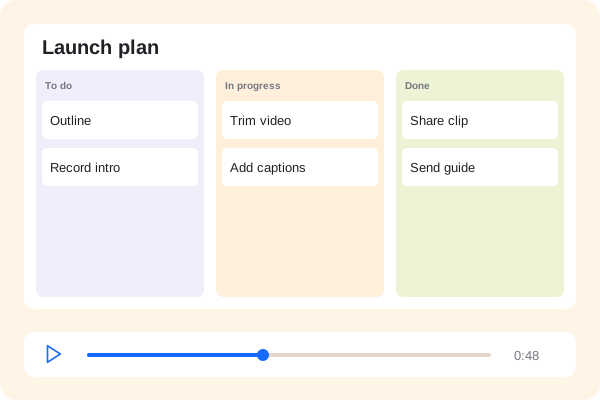 4K videoWritten guide
Use an agent from your CLI, review the work and choose what to publish. Your source files and editable project stay with you.
Connect an MCP client to work with your projects.
Use transcripts and captions to refine your message.
Download your video, guide and editable project.
Connect Claude or Codex through MCP to inspect projects, propose edits and work through an export. Use scoped access and review changes before publishing.
Claude Connected to RecordwowTurn this recording into a product walkthrough.
Done Read project and source
Done Prepare edits for review
Done Export video + written guide
Codex Connected to RecordwowTurn this recording into a product walkthrough.
Done Read project and source
Done Prepare edits for review
Done Export video + written guide
4K videoWritten guideConnect a voice or avatar provider to create narration and presenter media. Bring the returned media into your project and make it fit your story.
Bring your connected toolsPreview
Voice and avatar services connect to your workflow.
Use the same project to build a video and a written guide. Update the step that changed and keep the instructions aligned.
The steps, kept togetherPreview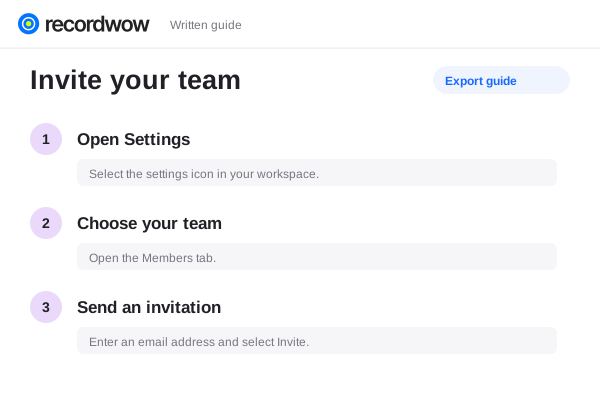
Recordwow exposes project tools through MCP. Configure your client with the workspace connection and a scoped API key.
Recordwow is free. Your connected AI, voice and avatar services have their own accounts and may charge for usage.
The voice connection can send permitted reference audio to a compatible provider. Voice creation depends on that connected service; it is not a built-in voice model.
The workflow supports review and explicit publishing. Give your client only the access it needs and review edits before sharing.